From CockroachDB to Kafka: Change Data Capture with a C# Consumer
A story-led, end-to-end guide to CockroachDB changefeeds, Kafka records, and a practical C# consumer, including offsets, ordering, duplicates, recovery, and production design.
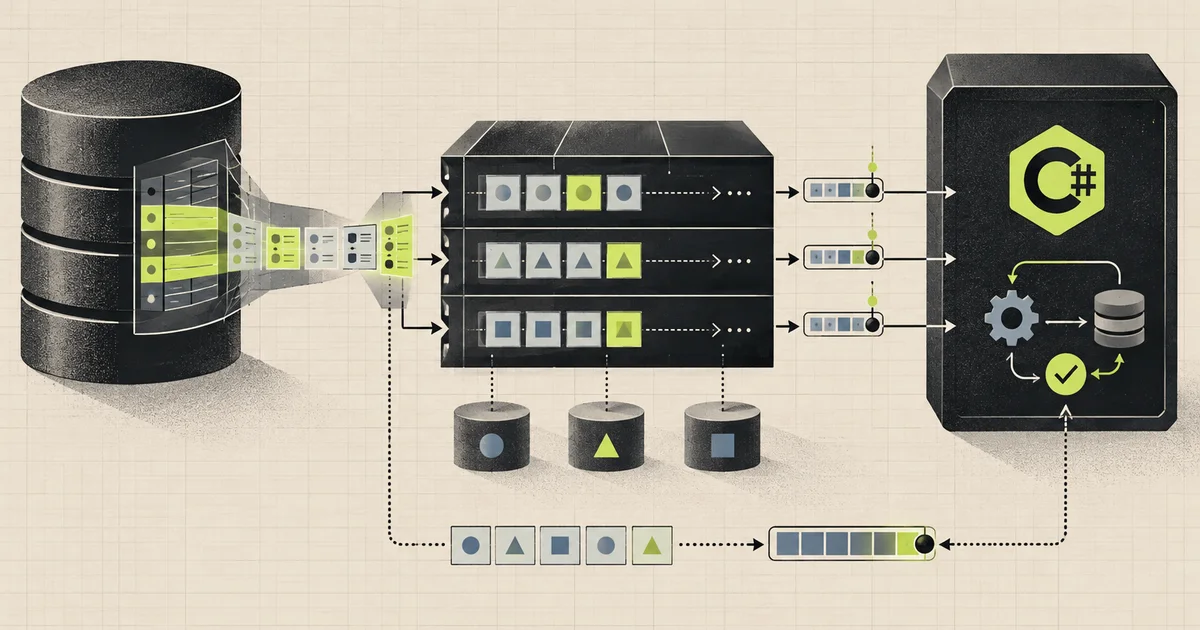
Imagine that an online shop changes the price of a product.
The row in the database is updated immediately. But the search index also needs the new price. The cache must be refreshed. The analytics system wants to record the change. Perhaps an audit service needs both the old and new values.
We could make the application call every one of those systems after updating the database. That sounds simple until one call times out, another service is offline, and a third succeeds before the application crashes. The database says one thing while the rest of the company sees something else.
Change Data Capture gives us a different path.
The application writes to CockroachDB once. CockroachDB observes the committed row change and publishes it to Kafka. Any interested application can consume that record at its own speed.
In this guide we will build that entire path, then look behind it:
Application
    |
    | INSERT, UPDATE, DELETE
    v
CockroachDB products table
    |
    | changefeed
    v
Kafka topic
    |
    | consumer group
    v
C# command-line consumer
By the end, we will understand not only how to run it, but also what the messages mean, where ordering exists, why duplicates are possible, how offsets affect recovery, and what must change before this becomes a production pipeline.
The short mental model
Keep this picture in mind:
- The database row is the source of truth.
- The changefeed is a watcher that turns committed row versions into records.
- The Kafka topic is a durable, partitioned log that holds those records.
- The message key identifies the row and helps preserve order for that row.
- The consumer group remembers how far an application has read.
- The C# consumer reads each record and decides what to do with it.
- The offset is the record’s position inside one Kafka partition.
CDC does not make the database and every downstream system one large transaction. It creates a reliable stream from which downstream systems can catch up, retry, and rebuild.
Why not update every system directly?
Suppose our API performs these steps:
1. Update product in CockroachDB
2. Update search
3. Clear cache
4. Send analytics event
What happens if step 1 succeeds and step 2 fails? We can retry, but the request may time out first. What if step 2 succeeds and the process crashes before step 3? What if the client retries the whole HTTP request?
This is the dual-write problem. One business action is being written independently to several systems, and there is no single transaction covering all of them.
With CDC, the request usually owns one important write:
1. Commit the product change in CockroachDBThe database change later appears in Kafka. Search, cache, analytics, and audit consumers then process the same stream independently. A slow analytics system no longer needs to delay the customer request.
This makes CDC useful for:
- keeping search indexes and read models synchronized;
- moving operational data into analytics systems;
- invalidating or rebuilding caches;
- producing audit trails;
- feeding data warehouses and lakehouses;
- integrating old systems without changing the main write path.
But CDC is not automatically the right choice for domain events. A row change says what storage changed. It may not explain why the business action happened. We will return to that distinction later.
What CockroachDB is actually watching
CockroachDB stores multiple versions of data internally. When a transaction commits an insert, update, or delete, a changefeed can observe the affected row version and encode it for an external sink such as Kafka.
The changefeed is not repeatedly running this query:
SELECT * FROM products WHERE updated_at > last_seen_time;Polling like that creates awkward questions around clock precision, equal timestamps, deleted rows, scan cost, and races between reading and saving the next checkpoint. A changefeed is integrated with the database’s change stream instead.
For a Kafka sink, CockroachDB becomes a Kafka producer. It serializes the row change, selects a topic and partition, sends the record, and tracks the changefeed’s own progress as a long-running CockroachDB job.
Our example table
Assume CockroachDB and Kafka are already running locally. Kafka is reachable at localhost:9092.
For a self-hosted CockroachDB cluster, rangefeeds may need to be enabled first:
SET CLUSTER SETTING kv.rangefeed.enabled = true;Create a small database and table:
CREATE DATABASE IF NOT EXISTS shop;

USE shop;

CREATE TABLE IF NOT EXISTS products (
    product_id UUID PRIMARY KEY DEFAULT gen_random_uuid(),
    name STRING NOT NULL,
    price DECIMAL(12, 2) NOT NULL CHECK (price >= 0),
    category STRING NOT NULL,
    in_stock BOOL NOT NULL DEFAULT true,
    updated_at TIMESTAMPTZ NOT NULL DEFAULT now()
);
The primary key matters beyond the database. By default, CockroachDB uses a row’s primary key as the Kafka message key. Records with the same key are routed consistently, which gives us an ordered stream of changes for one product inside a partition.
Creating the changefeed
Here is the useful local-development version:
CREATE CHANGEFEED FOR TABLE products
INTO 'kafka://localhost:9092?topic_prefix=shop_&topic_name=product_changes'
WITH
    diff,
    updated,
    resolved = '30s';
The resulting Kafka topic is:
shop_product_changesLet us unpack every part.
CREATE CHANGEFEED FOR TABLE products
This tells CockroachDB to watch the products table. The changefeed runs as a background job after it is created.
INTO 'kafka://localhost:9092'
Kafka is the sink. CockroachDB connects to the broker and acts as a producer.
topic_prefix and topic_name
topic_name=product_changes sends the table’s records to one chosen topic. topic_prefix=shop_ adds a namespace-like prefix, producing shop_product_changes.
If topic_name is absent, the table name is normally used. A prefix is helpful when several environments or database clusters share one Kafka cluster.
diff
The default wrapped JSON envelope contains an after value. diff also adds before, so an update can show both versions of the row.
This is excellent for an audit view or a consumer that needs to calculate exactly what changed. It increases message size, so do not enable it only because it looks interesting.
updated
This adds the database change timestamp to each row event. It is useful for tracing, deduplication strategies, measuring end-to-end lag, and understanding when a change was committed.
resolved = '30s'
A resolved record is a progress marker. In simple terms, it says the changefeed has moved past a particular database timestamp. It is not a product change and should not be sent to normal product-processing code.
Resolved timestamps are especially useful when a downstream process must know that it has observed everything up to a point in time.
Topic creation deserves an explicit decision
In a permissive local Kafka installation, the topic may be created automatically when the first record is produced. That is convenient for a demo.
In production, letting accidental traffic define a topic can give us the wrong partition count, replication factor, retention, or access policy. A stronger production habit is one of these:
- Provision the topic through infrastructure code and set
create_kafka_topics = 'off'. - Let CockroachDB create missing topics explicitly through Kafka’s Admin API with
create_kafka_topics = 'explicit'.
For example:
CREATE CHANGEFEED FOR TABLE products
INTO 'kafka://kafka-1:9092,kafka-2:9092?topic_prefix=shop_&topic_name=product_changes'
WITH
    diff,
    updated,
    resolved = '30s',
    create_kafka_topics = 'off';
The first option gives the platform team full control. It also makes a missing topic fail visibly instead of silently creating infrastructure with broker defaults.
The first surprise: an initial scan
By default, a new changefeed first emits the current contents of the watched table. After that initial scan, it continues with live changes.
This is useful when a new search index or reporting database needs a starting snapshot followed by continuous updates.
It also creates an important interpretation problem. A snapshot row has before: null, just like a newly inserted row. A consumer should not assume that every message with a null before represents a live customer insert.
Choose the startup behavior deliberately:
-- Current rows first, then live changes. This is the default.
WITH initial_scan = 'yes';

-- Only changes that happen after the feed starts.
WITH initial_scan = 'no';

-- Export the current rows, then finish the job.
WITH initial_scan = 'only';
For a brand-new projection, the initial scan is usually helpful. For a notification service that must react only to new changes, initial_scan = 'no' may be safer.
Building a useful C# Kafka viewer
Now we need to see what actually reaches Kafka.
.NET file-based applications let us keep a small utility in one .cs file without creating a project. This requires a current .NET SDK that supports file-based apps. Create KafkaWatch.cs:
#:package Confluent.Kafka@2.15.1

using System.Text.Json;
using Confluent.Kafka;

if (args.Length is < 2 or > 3)
{
    Console.WriteLine("Usage: dotnet run --file KafkaWatch.cs -- <brokers> <topic> [group-id]");
    return;
}

var brokers = args[0];
var topic = args[1];
var groupId = args.Length == 3
    ? args[2]
    : $"kafka-watch-{Guid.NewGuid():N}";

var config = new ConsumerConfig
{
    BootstrapServers = brokers,
    GroupId = groupId,

    // Used only when this group has no valid committed offset.
    AutoOffsetReset = AutoOffsetReset.Earliest,

    // Commit in the background, but only store an offset after
    // this program has successfully handled the record.
    EnableAutoCommit = true,
    EnableAutoOffsetStore = false
};

using var shutdown = new CancellationTokenSource();

Console.CancelKeyPress += (_, eventArgs) =>
{
    eventArgs.Cancel = true;
    shutdown.Cancel();
};

using var consumer = new ConsumerBuilder<string, string>(config)
    .SetErrorHandler((_, error) =>
        Console.Error.WriteLine($"Kafka error: {error.Reason}"))
    .Build();

consumer.Subscribe(topic);

Console.WriteLine($"Topic: {topic}");
Console.WriteLine($"Group: {groupId}");
Console.WriteLine("Waiting for records. Press Ctrl+C to stop.\n");

try
{
    while (!shutdown.IsCancellationRequested)
    {
        var record = consumer.Consume(shutdown.Token);

        Console.WriteLine(new string('=', 72));
        Console.WriteLine($"Type:      {Classify(record.Message.Value)}");
        Console.WriteLine($"Position:  {record.TopicPartitionOffset}");
        Console.WriteLine($"Key:       {record.Message.Key ?? "<null>"}");
        Console.WriteLine($"Timestamp: {record.Message.Timestamp.UtcDateTime:O}");
        Console.WriteLine("Value:");
        Console.WriteLine(FormatJson(record.Message.Value));

        // In a real application, business processing happens before this line.
        consumer.StoreOffset(record);
    }
}
catch (OperationCanceledException) when (shutdown.IsCancellationRequested)
{
    Console.WriteLine("Stopping...");
}
finally
{
    // Close leaves the group cleanly and reduces unnecessary rebalancing delay.
    consumer.Close();
}

static string Classify(string? json)
{
    if (string.IsNullOrWhiteSpace(json))
        return "TOMBSTONE";

    try
    {
        using var document = JsonDocument.Parse(json);
        var root = document.RootElement;

        if (root.TryGetProperty("resolved", out _))
            return "CHECKPOINT";

        if (!root.TryGetProperty("after", out var after))
            return "EVENT";

        var beforeIsNull = !root.TryGetProperty("before", out var before)
            || before.ValueKind == JsonValueKind.Null;
        var afterIsNull = after.ValueKind == JsonValueKind.Null;

        if (beforeIsNull && !afterIsNull) return "INSERT OR SNAPSHOT";
        if (!beforeIsNull && !afterIsNull) return "UPDATE";
        if (!beforeIsNull && afterIsNull) return "DELETE";

        return "EVENT";
    }
    catch (JsonException)
    {
        return "NON-JSON";
    }
}

static string FormatJson(string? json)
{
    if (json is null)
        return "<null>";

    try
    {
        using var document = JsonDocument.Parse(json);
        return JsonSerializer.Serialize(
            document.RootElement,
            new JsonSerializerOptions { WriteIndented = true });
    }
    catch (JsonException)
    {
        return json;
    }
}
Run it like this:
dotnet run --file KafkaWatch.cs -- localhost:9092 shop_product_changes cdc-labIf the current directory already contains a .csproj, the explicit --file avoids ambiguity.
For an older SDK without file-based apps, create a normal console project and use the same program body:
dotnet new console -n KafkaWatch
cd KafkaWatch
dotnet add package Confluent.Kafka --version 2.15.1
Why this consumer is safer than the smallest possible example
A ten-line consumer can print values, but a diagnostic tool becomes much more useful when it also shows:
- the Kafka key;
- topic, partition, and offset;
- the Kafka record timestamp;
- whether the payload looks like a row event or resolved checkpoint;
- readable formatted JSON;
- a stable consumer group when we want to resume;
- clean shutdown on Ctrl+C;
- offset storage after handling.
The position might look like this:
shop_product_changes [[2]] @17That means offset 17 in partition 2. Offset 17 in partition 1 is a different position. Kafka does not have one global offset for an entire topic.
Stable group or temporary group?
The group ID answers a simple question: which reading history should this consumer use?
Use a stable group ID such as search-indexer-v1 when the same logical application should resume where it stopped:
dotnet run --file KafkaWatch.cs -- localhost:9092 shop_product_changes search-indexer-v1Use a new temporary group when you want an independent reading session. Because that group has no committed offsets, AutoOffsetReset.Earliest starts from the oldest record that Kafka still retains.
This exposes a subtle mistake in many quick examples. A random group ID plus AutoOffsetReset.Latest starts at the end of the topic. Records produced before the consumer joined will not be shown. That may be fine for tailing only new traffic, but it is confusing in a tutorial and dangerous when a reader expects a replay.
AutoOffsetReset is not a command to rewind an existing group. Kafka uses it only when the group has no committed offset for a partition, or when the stored offset is no longer valid.
Test the complete path
Leave the C# consumer running and open a CockroachDB SQL session.
Insert
INSERT INTO products (name, price, category)
VALUES ('Mechanical Keyboard', 89.99, 'Accessories')
RETURNING product_id;
The consumer will see a message shaped like this:
{
  "after": {
    "category": "Accessories",
    "in_stock": true,
    "name": "Mechanical Keyboard",
    "price": 89.99,
    "product_id": "3d112dd5-2fc7-4ab8-919a-75c72d765c9d",
    "updated_at": "2026-09-13T09:00:00Z"
  },
  "before": null,
  "updated": "..."
}
before is null because this row had no previous version. Remember that an initial-scan record can have the same shape.
Update
Use the returned ID:
UPDATE products
SET price = 79.99,
    updated_at = now()
WHERE product_id = '3d112dd5-2fc7-4ab8-919a-75c72d765c9d';
Now before contains the old row and after contains the new row:
{
  "after": {
    "name": "Mechanical Keyboard",
    "price": 79.99
  },
  "before": {
    "name": "Mechanical Keyboard",
    "price": 89.99
  },
  "updated": "..."
}
The real messages contain all emitted columns. The shortened example highlights the changed value.
Delete
DELETE FROM products
WHERE product_id = '3d112dd5-2fc7-4ab8-919a-75c72d765c9d';
For a delete, after is null and before contains the last row value:
{
  "after": null,
  "before": {
    "name": "Mechanical Keyboard",
    "price": 79.99
  },
  "updated": "..."
}
The Kafka message key still identifies the deleted row. A production consumer should use the message key, not try to recover identity only from after, because after is intentionally null for a delete.
Resolved checkpoint
At the configured interval, the topic also receives a message similar to:
{
  "resolved": "..."
}
Our CLI labels it CHECKPOINT. A materialized-view consumer might store this frontier for lag tracking. A simple cache updater can ignore it.
The journey of one update
Let us slow the update down conceptually.
1. The application starts a database transaction.
2. It updates the product price.
3. CockroachDB commits the transaction.
4. The changefeed observes the committed row version.
5. CockroachDB builds the Kafka key from the row key.
6. It serializes the before and after values as JSON.
7. The Kafka producer sends the record to a partition.
8. Kafka assigns the next offset in that partition.
9. The C# client's background polling fetches records in batches.
10. Consume returns one record to our loop.
11. Our code handles and prints the record.
12. StoreOffset marks the next safe consumer position.
13. The client periodically commits stored positions for the group.
There are two separate progress systems here:
- CockroachDB tracks how far the changefeed has progressed through database changes.
- Kafka tracks how far each consumer group has progressed through Kafka partitions.
Confusing those checkpoints makes recovery plans unreliable.
Ordering: what we get and what we do not
Kafka preserves record order within one partition. It does not promise a total order across all partitions.
Because a row’s primary key is normally used as the Kafka key, changes for the same product are routed consistently. If product A changes from £10 to £12 and then £15, one consumer of that partition sees those changes in that order.
Changes for product A and product B may be in different partitions. Their arrival order should not be treated as a database-wide timeline.
This matters when a transaction modifies several rows. CDC emits row-level records. Even when their database timestamps help show that they belong to the same commit, Kafka consumers may receive them from different partitions at different moments. Applying several row changes atomically in another database requires additional buffering and coordination.
A resolved timestamp provides a frontier: once the relevant partitions have advanced past time T, the consumer knows earlier changes should not newly appear. It is a progress signal, not a replacement for Kafka offsets.
Delivery: expect at least once, not exactly once
A failure can happen after CockroachDB sends a record but before it saves the latest changefeed progress. On recovery, it may send that row version again. A Kafka consumer can also process a record and crash before its offset is committed, causing Kafka to deliver it again.
This gives the end-to-end path an at-least-once shape:
No silent loss is the goal.
Duplicate processing remains possible.
Consumers must therefore be idempotent. Processing the same change twice should lead to the same final state as processing it once.
For a search projection, an upsert by product_id is naturally idempotent:
UPSERT product 3d112... WITH price 79.99For a payment or email, blindly repeating the side effect is not safe. Store a durable processed-event identity in the same transaction as the business effect, or redesign the event contract so the operation can be applied idempotently.
Possible identities include:
- Kafka topic, partition, and offset for deduplication within that Kafka history;
- row key plus CockroachDB MVCC or update timestamp for semantic row versions;
- an explicit domain event ID when using an outbox.
Do not claim exactly-once behavior merely because Kafka offsets are committed. Exactly once is an end-to-end property involving the source, broker, consumer, and destination side effect.
Why offsets are stored after processing
The default Confluent .NET consumer configuration automatically stores a record’s offset around delivery to application code, then commits stored offsets periodically.
If the process fails after the offset becomes eligible for commit but before the business work finishes, the group may resume after that record. That creates a loss risk from the application’s point of view.
Our configuration changes one setting:
EnableAutoCommit = true,
EnableAutoOffsetStore = false
Then, only after successful processing:
consumer.StoreOffset(record);The background client can still batch commits efficiently, but a record is not declared handled before our code reaches that line. A crash can cause a duplicate, which an idempotent consumer is prepared to handle.
Calling Commit synchronously after every record is simpler to explain but adds a blocking network round trip and reduces throughput. StoreOffset is a useful middle ground for many consumers.
Production code must also decide what to do when processing fails. Common choices are:
- retry a limited number of times with backoff;
- pause the affected partition while the dependency recovers;
- write the failed record and error details to a dead-letter topic;
- stop the process and let the record be retried after restart.
Logging the error and storing the offset anyway is data loss disguised as resilience.
Consumer groups and parallel work
Within one consumer group, Kafka assigns each partition to at most one consumer at a time. If the topic has six partitions, a group can have up to six actively consuming instances for that topic. A seventh instance waits without owning a partition.
Different groups each receive their own logical copy of the stream:
shop_product_changes
    |
    +--> group: search-indexer
    +--> group: cache-projector
    +--> group: analytics-loader
    +--> group: audit-writer
Adding consumers does not create useful parallelism beyond the number of partitions. Partition count is therefore both a throughput decision and a maximum consumer-parallelism decision.
When group membership changes, Kafka reassigns partitions in a rebalance. A consumer may lose ownership of a partition between processing and storing an offset. Robust applications must handle that race and make duplicate processing harmless.
Row events are not always business events
Consider this row update:
orders.status: Pending -> CancelledThe business reason might be customer cancellation, payment failure, fraud detection, stock expiration, or an administrator action. A generic row change does not necessarily include that intent.
Use plain CDC when the downstream need is about data state:
- keep a search index synchronized;
- copy rows into analytics storage;
- invalidate cache entries;
- maintain a read model;
- record low-level data changes.
Use a transactional outbox or explicit domain-event design when consumers need business meaning:
{
  "eventId": "...",
  "eventType": "OrderCancelledByCustomer",
  "orderId": "...",
  "reason": "Changed mind",
  "occurredAt": "..."
}
The outbox row is inserted in the same database transaction as the business change. CDC can then publish the outbox table to Kafka. This combines atomic database writing with a deliberate, stable event contract.
Shape the stream before it leaves the database
Publishing every storage column can couple consumers to an internal schema and expose data they do not need. CockroachDB CDC queries can select, rename, calculate, and filter fields.
A conceptual product projection might look like this:
CREATE CHANGEFEED
INTO 'kafka://localhost:9092?topic_name=public_product_changes'
WITH updated, resolved = '30s'
AS SELECT
    product_id,
    name,
    price,
    category,
    in_stock
FROM products;
This is useful, but it turns the query into a public contract. Treat it like API design:
- give fields stable meanings;
- avoid leaking secrets or internal columns;
- document nullability and numeric representation;
- version incompatible changes;
- test schema evolution with real consumers.
CDC query envelopes also differ from the table changefeed default, so inspect actual records before writing a parser.
Schema changes can produce more data than expected
By default, some schema changes can lead to a changefeed backfill under the new schema. That may produce another large wave of row events.
A consumer that assumes every row is a recent user action can send thousands of false notifications. A capacity plan that considers only normal update traffic can fall behind during the backfill.
Decide before each schema migration:
- Can consumers read both the old and new shape?
- Will a backfill occur?
- Can the topic and consumers handle that volume?
- Should the changefeed stop at a schema boundary instead?
- Does the event contract need a new version?
JSON is convenient for a first pipeline. Larger systems often introduce Avro or Protobuf with schema management so producers and consumers agree on types and evolution rules.
Security: keep credentials out of the SQL text
The local URI has no authentication. A real Kafka cluster commonly requires TLS plus SASL, certificates, or OAuth.
Do not spread secrets through migration files, terminal history, and visible job descriptions. CockroachDB external connections let an administrator define the sink separately and reference it by name:
CREATE EXTERNAL CONNECTION kafka_product_sink
AS 'kafka://kafka.example.com:9093?tls_enabled=true&sasl_enabled=true&sasl_mechanism=SCRAM-SHA-256&sasl_user=cdc_writer&sasl_password=URL_ENCODED_SECRET';

CREATE CHANGEFEED FOR TABLE products
INTO 'external://kafka_product_sink'
WITH diff, updated, resolved = '30s';
The exact URI depends on the Kafka provider and authentication method. Apply least privilege:
- the changefeed identity needs permission to write only the intended topics;
- consumers need read access to their topics and group IDs;
- topic creation should be separated from record production where possible;
- connections should use TLS outside an isolated local environment;
- credentials should be rotated and managed as secrets;
- network rules should limit which systems can reach the brokers.
Monitoring both halves of the pipeline
There is no single health light for CDC into Kafka. We need visibility at each boundary.
CockroachDB changefeed
Inspect jobs:
SELECT job_id, description, status
FROM [SHOW JOBS]
WHERE job_type = 'CHANGEFEED';
Useful questions include:
- Is the job running, paused, retrying, or failed?
- How far is its high-water mark behind the database?
- Is Kafka rejecting or throttling writes?
- Is a watched range or schema change blocking progress?
- How much CPU and memory is CDC adding to the database cluster?
Kafka
Watch:
- broker availability and produce errors;
- topic bytes and records per second;
- under-replicated partitions;
- retention and disk usage;
- record-size rejections;
- authentication failures.
C# consumer
Watch:
- consumer lag per partition;
- processing time and failure rate;
- rebalance frequency;
- offset commit failures;
- retries and dead-letter records;
- destination write latency;
- time from database commit to completed downstream processing.
An HTTP health endpoint that says the process is alive does not prove the projection is current. Lag and last-successful-processing time tell a more useful story.
Failure stories worth testing
Happy-path inserts prove very little. Before trusting the pipeline, deliberately test these failures.
Stop the C# consumer
Write several product changes, restart it with the same group ID, and verify that it resumes from committed offsets.
Restart with a new group ID
Verify that Earliest replays retained history. Then use Latest intentionally and observe that only future records arrive.
Fail after the destination write
Simulate a crash before StoreOffset. The record should arrive again, and the destination should remain correct after duplicate processing.
Make Kafka temporarily unavailable
Observe the changefeed job retry, its lag grow, and its recovery after Kafka returns. Confirm that database garbage-collection windows and changefeed recovery settings match the longest outage you intend to survive.
Send malformed or incompatible data
Ensure the consumer does not loop forever without visibility. Decide whether the record blocks the partition, is quarantined, or is handled by a compatibility path.
Change the table schema
Add a nullable column, rename or remove a field in a test environment, and watch both the emitted payloads and consumer behavior.
Exceed the expected message size
Large JSON columns can cross Kafka or client limits. Test actual maximum rows rather than only average messages.
Managing the changefeed job
The changefeed continues running after the SQL session ends.
Find its job ID:
SELECT job_id, description, status
FROM [SHOW JOBS]
WHERE job_type = 'CHANGEFEED';
Pause it temporarily:
PAUSE JOB 1234567890123456789;Resume it:
RESUME JOB 1234567890123456789;Cancel it permanently:
CANCEL JOB 1234567890123456789;Pause is not free indefinite storage. CockroachDB must retain the historical versions needed to resume, and garbage collection still matters. A long outage or pause needs an explicit recovery plan. Sometimes the correct recovery is a new initial scan into a fresh topic or projection.
A production-ready architecture
The small lab has the right basic flow but not every production control.
                         +----------------------+
                         | Search projection    |
                         | group: search-v2     |
                         +----------^-----------+
                                    |
Application -> CockroachDB -> Kafka product topic
                                    |
                         +----------v-----------+
                         | Analytics loader     |
                         | group: analytics-v1  |
                         +----------------------+

Controls around the flow:
* versioned event contract
* provisioned topics and retention
* TLS and least-privilege identities
* idempotent destination writes
* retry and dead-letter policy
* lag, failure, and checkpoint monitoring
* tested replay and rebuild procedure
A sensible delivery checklist is:
- Define whether the stream represents storage changes or business events.
- Define the key and ordering boundary.
- Provision topic partitions, replication, retention, and access.
- Choose initial-scan behavior.
- Define the envelope and schema-evolution rules.
- Make every consumer idempotent.
- Store consumer progress only after successful processing.
- Decide how poison records and unavailable dependencies are handled.
- Monitor changefeed lag and consumer lag separately.
- Test replay, duplicate delivery, broker outage, schema change, and rebuild.
Common mistakes
| Mistake | What actually happens | Better decision |
|---|---|---|
Random group plus Latest |
Existing records are skipped | Use Earliest for a full diagnostic replay |
Treating every null before as an insert |
Initial-scan rows may be misclassified | Know the scan mode or include explicit event semantics |
| Ignoring the Kafka key | Deletes and per-row ordering become harder | Consume and preserve the message key |
| Assuming global order | Different partitions progress independently | Depend only on per-key or per-partition order |
| Committing before processing finishes | A crash can skip unfinished work | Store or commit offsets after success |
| Assuming no duplicates | Retries can repeat database or Kafka records | Make downstream writes idempotent |
| Publishing the full table forever | Consumers become coupled to storage details | Design and version a deliberate contract |
| Letting topics auto-create in production | Broker defaults define critical infrastructure | Provision topics or choose explicit creation |
| Treating CDC as a domain-event system | Row state may not explain business intent | Use an outbox for meaningful business events |
| Monitoring only process health | A live process can be hours behind | Measure both changefeed and consumer lag |
The complete story in one minute
An application commits a product change to CockroachDB. The changefeed sees the committed row version, uses the row key as the Kafka message key, wraps the new value and optionally the old value in an envelope, and sends the record to a Kafka topic.
Kafka appends that record to one partition and assigns an offset. Each consumer group reads the topic independently. The C# consumer receives the key, value, partition, and offset, applies its business work, then stores the offset as the next safe position.
Order exists within a partition, not across the whole topic. The initial scan may look like a set of inserts. Resolved records are progress markers, not row changes. Failures may repeat records, so consumers must be idempotent. A stable group resumes; a new group creates a new reading history.
That is the full path:
committed database state
    -> changefeed record
    -> Kafka key, partition, and offset
    -> consumer group
    -> idempotent downstream result
The code is the easy part. The real design is deciding the contract, key, delivery behavior, recovery boundary, and meaning of success.
Technical references
The production boundary is the consumer’s durable side effect plus its offset. If those cannot commit atomically, store an event identity or source MVCC timestamp with the projection and make reprocessing converge. Resolved timestamps express frontier progress across the changefeed; they do not mean every consumer has committed its own work. Schema-change backfills and restarts belong in the recovery test, not only in the architecture diagram.
Related notes.
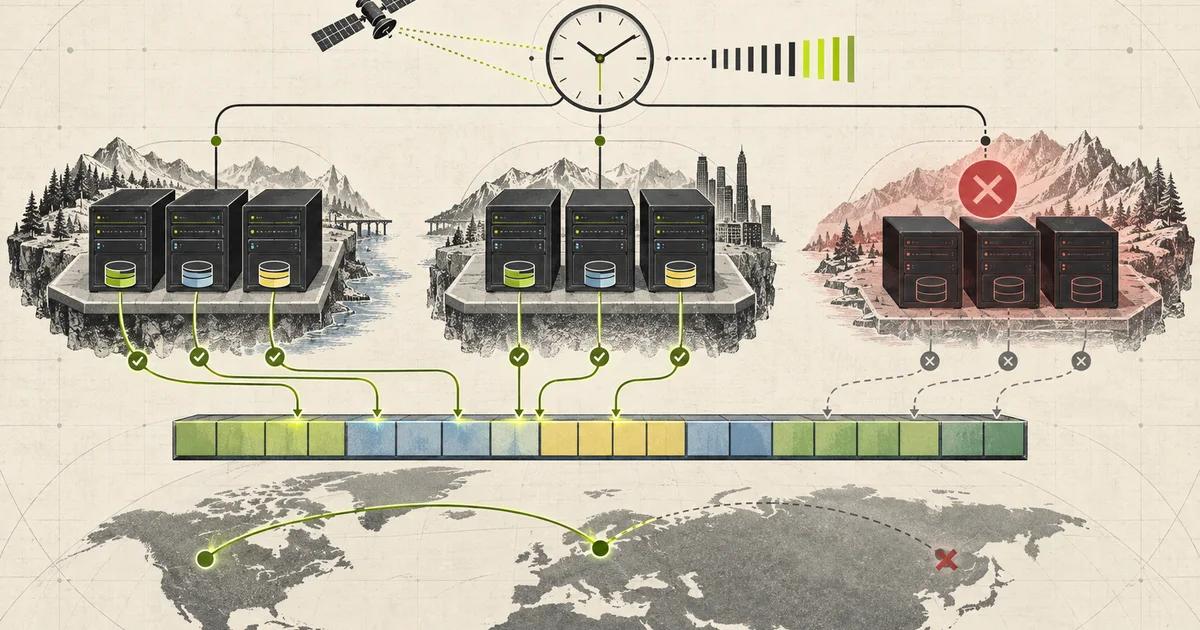
CockroachDB from First Principles: The Database That Refuses to Die
Why a global SQL database is really a problem of agreement and time, how Google solved it with TrueTime, GPS, and atomic clocks, and how CockroachDB reaches a practical design on ordinary infrastructure.
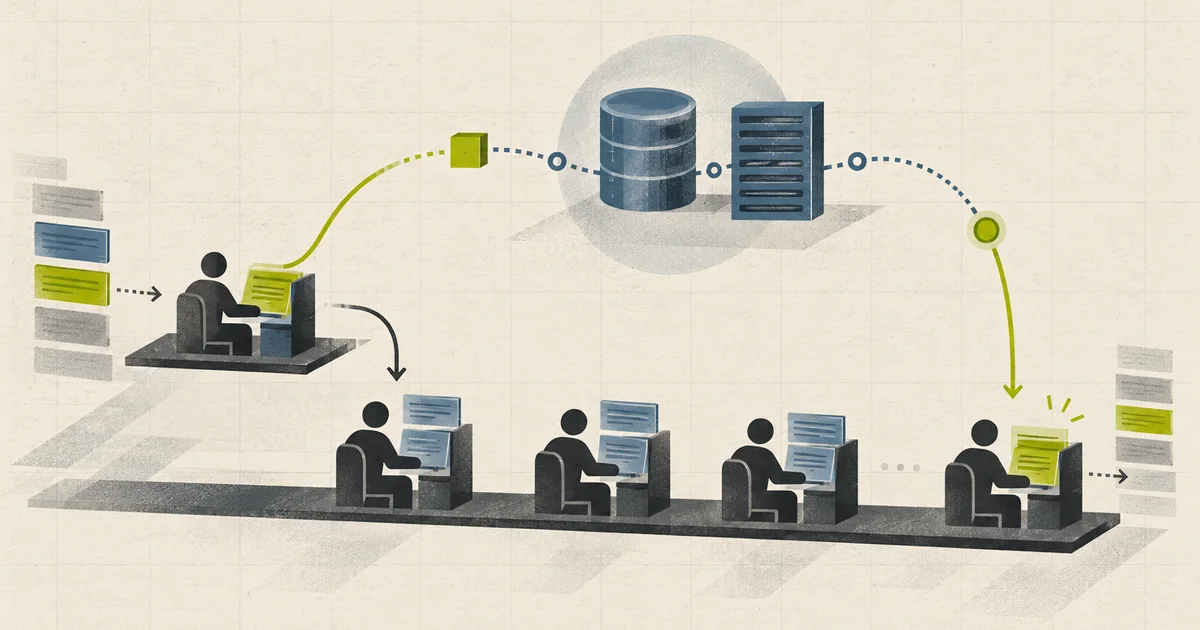
How Async and Await Work in C#
A story-led explanation of Tasks, compiler-generated state machines, continuations, threads, I/O completion, exceptions, cancellation, contexts, and practical async design in .NET.
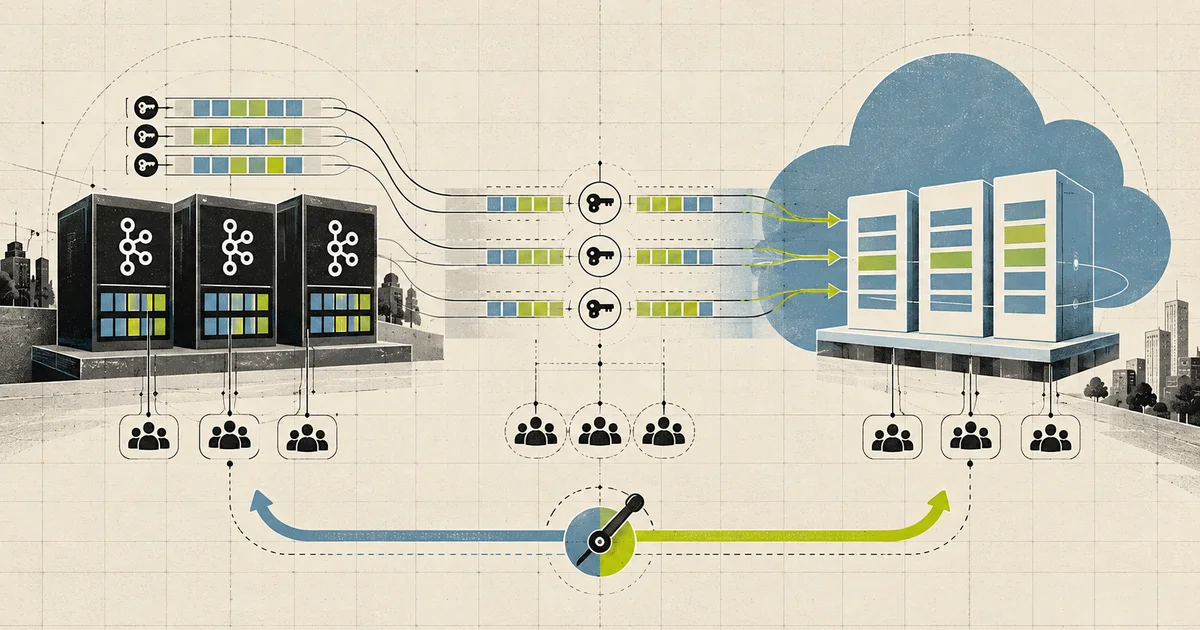
Replacing Self-Managed Kafka with Azure Event Hubs
An end-to-end migration article covering compatibility, partition mapping, dual running, cutover, rollback, and the operational model after Kafka.