How Async and Await Work in C#
A story-led explanation of Tasks, compiler-generated state machines, continuations, threads, I/O completion, exceptions, cancellation, contexts, and practical async design in .NET.
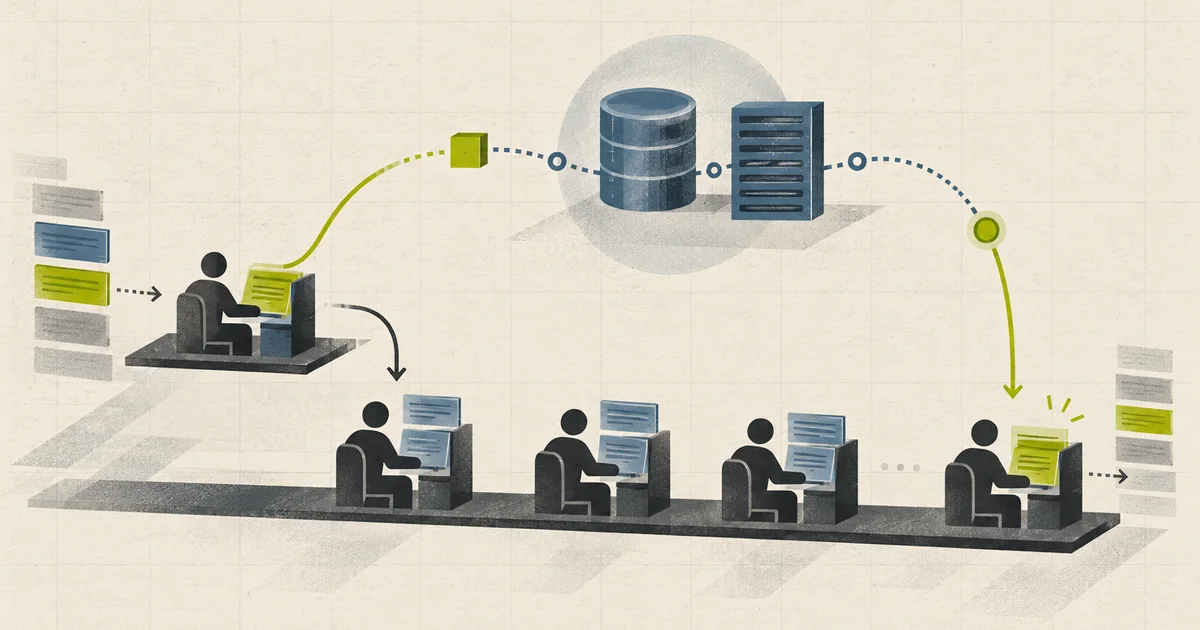
Imagine a waiter in a busy restaurant.
A customer orders food. The waiter gives the order to the kitchen. The waiter does not stand beside the stove until the meal is ready. They serve other tables. When the kitchen rings the bell, a waiter returns, picks up the meal, and continues that order.
That is the main idea behind asynchronous I/O.
The waiter is a thread. The kitchen work is a database call, an HTTP request, a file operation, or a timer. The order ticket is a Task. The note describing what to do after the kitchen finishes is a continuation.
The analogy is useful, but real C# code has more details. The compiler rewrites an async method into a state machine. The awaited operation reports its completion. A continuation resumes the method from its saved position. Exceptions and cancellation travel through the returned task. A synchronization context or task scheduler may influence where the continuation runs.
This article builds that complete picture one layer at a time.
The short answer
Consider this method:
public async Task<OrderSummary> GetOrderSummaryAsync(
    int orderId,
    CancellationToken cancellationToken)
{
    var order = await orderRepository.GetAsync(
        orderId,
        cancellationToken);

    var delivery = await deliveryClient.GetStatusAsync(
        order.DeliveryId,
        cancellationToken);

    return new OrderSummary(order, delivery);
}
At a high level, C# handles it like this:
Call GetOrderSummaryAsync
          |
          v
Run normally on the current thread
          |
          v
Call orderRepository.GetAsync
          |
          v
Is its awaitable already complete?
       /        \
     yes         no
      |           |
Read result       Save current state
Keep running      Register continuation
                  Return Task to caller
                         |
                         v
                Database operation completes
                         |
                         v
                 Resume saved method state
The most important facts are:
- calling an async method starts it immediately;
- it runs synchronously until it reaches an incomplete
await; awaitdoes not block the current thread;- the method returns a task to its caller while it is suspended;
- the compiler-generated continuation resumes the method later;
- async I/O does not automatically create another thread;
- the code after
awaitmay run on a different thread.
Everything else fits around those facts.
Why async exists
Applications spend a great deal of time waiting.
A web API may wait for SQL Server. A payment service may wait for a bank. A desktop application may wait for a file. A mobile application may wait for the network. The machine cannot make the remote system respond faster by keeping a thread blocked.
Synchronous waiting looks like this:
Thread starts database request
Thread waits
Thread waits
Thread waits
Database responds
Thread continues
The thread is alive but unable to do useful work during the wait.
Asynchronous waiting looks like this:
Thread starts database request
Method records what should happen next
Thread returns to the pool

Database responds later
Completion is reported
A thread resumes the saved work
Async is mainly about not wasting a thread while an external operation is in progress.
This has different benefits in different applications:
- Desktop and mobile UI: the interface remains responsive.
- Web server: threads remain available for other requests.
- Worker service: the process can coordinate many I/O operations efficiently.
- Library: callers can choose how to compose and await the operation.
Async improves waiting. It does not make every operation faster, and it does not automatically run work in parallel.
A Task is not a thread
This is the most common misunderstanding.
A Task represents an operation that may finish in the future. It is a promise of completion. It records one of several states, including success, fault, or cancellation. A Task<T> also carries a result of type T when it succeeds.
Task<Order>

Pending   -> no result yet
Succeeded -> contains Order
Faulted   -> contains exception information
Canceled  -> operation acknowledged cancellation
A task does not tell you how the work is performed.
It might represent:
- a socket operation managed by the operating system;
- a timer waiting in a timer queue;
- work queued to a thread pool;
- a result that is already available;
- several other tasks combined with
Task.WhenAll; - a manually controlled completion source.
This code performs asynchronous I/O without creating a thread that waits for the response:
string json = await httpClient.GetStringAsync(
    "https://example.com/orders/42",
    cancellationToken);
This code deliberately queues CPU work to the thread pool:
Report report = await Task.Run(
    () => BuildLargeReport(data),
    cancellationToken);
Both return tasks. Their execution models are different.
What the async keyword does
The async keyword is mostly an instruction to the C# compiler.
It allows await inside the method and tells the compiler to rewrite the method using the async method machinery. It does not make the method run on a background thread.
public async Task<int> GetAnswerAsync()
{
    await Task.Delay(1000);
    return 42;
}
Calling GetAnswerAsync() begins executing the method body right away. The method reaches Task.Delay. If the delay is not complete, the method pauses and returns its task to the caller.
The caller decides what to do with that task:
Task<int> answerTask = GetAnswerAsync();

// The operation has started. Other work can happen here.
LogRequestStarted();

int answer = await answerTask;
Tasks returned by normal async methods are hot. The caller does not need a separate Start() call.
What the await keyword does
await is an operator with three important jobs:
- check whether the awaited operation is already complete;
- if incomplete, arrange for the method to continue later and return control to the caller;
- when complete, obtain the result or rethrow the stored exception.
Conceptually, this:
Order order = await orderRepository.GetAsync(orderId);
Use(order);
means something like:
Start GetAsync
If complete:
    get the Order
    call Use(order)
Otherwise:
    remember that Use(order) comes next
    leave this method for now
    resume when GetAsync reports completion
The compiler does not literally generate that text. It creates a state machine that can implement the same behavior safely.
Await works with awaiters, not only Task
The compiler does not require every awaited value to be a Task. It looks for the awaitable pattern.
In simplified form, an awaitable provides a GetAwaiter() method. The returned awaiter provides:
IsCompleted;OnCompletedorUnsafeOnCompleted;GetResult().
awaitable.GetAwaiter()
          |
          +--> IsCompleted
          +--> register continuation
+--> GetResultTask, Task<T>, ValueTask, and ValueTask<T> all support this pattern. Custom types can support it too, although custom awaitables are uncommon in normal business applications.
This pattern is why await is language syntax rather than a special method that understands only one class.
The compiler-generated state machine
An async method looks sequential to us, but it must be able to stop, return, and later continue from the correct line with all required local values still available.
The compiler solves that problem by generating a state machine.
Take this method:
public async Task<int> GetSubtotalAsync(int orderId)
{
    Order order = await GetOrderAsync(orderId);
    return order.Subtotal;
}
In a Release build, the compiler normally creates a generated struct that implements IAsyncStateMachine. Its important fields conceptually look like this:
private struct GetSubtotalStateMachine : IAsyncStateMachine
{
    public int state;
    public AsyncTaskMethodBuilder<int> builder;

    public int orderId;
    private Order order;

    private TaskAwaiter<Order> orderAwaiter;
    public void MoveNext() { /* generated logic */ }
    public void SetStateMachine(IAsyncStateMachine machine) { /* plumbing */ }
}
The actual generated names look unusual because they are not intended for application code. The roles are what matter:
- state: says where execution should continue;
- builder: manages the returned task and method completion;
- parameters: keep input values available after suspension;
- lifted locals: preserve local values needed later;
- awaiter fields: remember incomplete awaited operations;
- MoveNext: contains the rewritten method body.
The original method becomes a small starting method. It initializes the state machine, asks the builder to start it, and returns the builder’s task.
Original async method call
          |
          v
Create state machine
Set initial state
Create method builder
Call builder.Start
Return builder.Task
The exact generated code changes across compiler and runtime versions because .NET keeps optimizing this path. The mental model remains stable.
MoveNext is the engine of the method
MoveNext() does not mean move to the next source-code line. It means run the state machine until it finishes or reaches another incomplete await.
A simplified version might behave like this:
public void MoveNext()
{
    try
    {
        if (state == -1)
        {
            var awaiter = GetOrderAsync(orderId).GetAwaiter();

            if (!awaiter.IsCompleted)
            {
                state = 0;
                orderAwaiter = awaiter;
                builder.AwaitUnsafeOnCompleted(
                    ref awaiter,
                    ref this);
                return;
            }

            order = awaiter.GetResult();
        }
        else if (state == 0)
        {
            var awaiter = orderAwaiter;
            orderAwaiter = default;
            state = -1;
            order = awaiter.GetResult();
        }

        builder.SetResult(order.Subtotal);
    }
    catch (Exception exception)
    {
        state = -2;
        builder.SetException(exception);
    }
}
This is intentionally incomplete pseudocode. Real compiler output includes more states, cleanup, scope handling, debugging support, and optimizations.
The key transition is:
state = -1   running or not yet started
state = 0    suspended at first await
state = -2   finished
When the operation completes, its continuation calls MoveNext() again. The saved state sends execution to the correct resume point. GetResult() retrieves the value or throws the operation’s exception. A method with more awaits repeats the same pattern with more suspension states.
This is how apparently sequential code becomes continuation-based code.
What gets saved during suspension
An ordinary synchronous method keeps parameters and local variables in its stack frame. That stack frame disappears when the method returns.
An async method may return to its caller before it has finished. Any value needed after suspension must therefore live somewhere that survives the return.
The compiler moves those values into fields of the state machine.
public async Task<string> FormatAsync(int orderId)
{
    string prefix = $"Order {orderId}";
    Order order = await GetOrderAsync(orderId);
    return $"{prefix}: {order.Status}";
}
prefix is needed after the await, so it must survive suspension. It becomes a field. A temporary value that is never used after an await may remain a normal local and need no long-lived storage.
This is one source of async overhead. More values crossing await boundaries can mean a larger state machine.
The fast path: when await does not pause
Not every await suspends.
The compiler asks the awaiter whether it is already complete. If IsCompleted is true, it calls GetResult() immediately and keeps running on the current thread.
public async Task<Customer> GetCustomerAsync(int id)
{
    Customer? cached = cache.Find(id);

    if (cached is not null)
    {
        return cached;
    }

    return await database.LoadCustomerAsync(id);
}
The cache path can finish synchronously. No continuation is needed. Modern .NET and the C# compiler contain several optimizations for these common completed paths.
This also explains a surprising observation:
Console.WriteLine("A");
await Task.CompletedTask;
Console.WriteLine("B");
A and B normally print during the same synchronous call because the task is already complete.
await means suspend if necessary, not always suspend.
Who waits for the I/O?
No hidden C# thread needs to stare at the database connection.
For network I/O, the application asks the operating system to perform an operation on a socket. The operating system and device stack track the operation. When data becomes available or the operation finishes, completion is reported back to .NET. .NET then makes the registered continuation eligible to run.
The exact mechanism depends on the operating system and the I/O API. Windows commonly uses I/O completion facilities. Linux commonly uses readiness or completion mechanisms such as epoll or io_uring through runtime abstractions. Application code normally does not need to know which one is underneath a standard async API.
Application thread
      |
      | start socket read
      v
Operating system tracks pending I/O
      |
      | thread is free for other work
      |
Network data arrives
      |
      v
.NET receives completion notification
      |
      v
Continuation becomes runnable
The remote database still uses its own computing resources. Network hardware still moves bytes. The important point is that the application does not reserve one blocked thread for the entire wait.
Task.Delay follows a similar idea with a timer. It schedules completion for later. It does not block a thread for the delay duration.
Where the continuation runs
After an awaited operation completes, the rest of the method must run somewhere.
By default, task awaiting considers:
- the current
SynchronizationContext, if one exists; - otherwise, a non-default current
TaskScheduler, if one exists; - otherwise, normal thread-pool execution and completion behavior.
UI applications
Desktop UI frameworks usually require controls to be accessed only from their owning UI thread. Their synchronization context allows code after await to return to that UI environment.
private async void LoadButton_Click(object sender, EventArgs e)
{
    string text = await httpClient.GetStringAsync(url);
    outputTextBox.Text = text;
}
The network wait does not freeze the UI. After completion, the continuation can return to the UI context and safely update the control.
ASP.NET Core
ASP.NET Core does not install a custom SynchronizationContext by default. Code after an await does not need to return to the same request thread because ASP.NET Core does not have the classic ASP.NET request-thread affinity model.
The request still has logical state such as HttpContext, dependency injection scope, logging scopes, and tracing activity. That does not mean a specific physical thread owns the request.
ConfigureAwait(false)
This tells a task await not to request resumption on the captured context or scheduler:
string json = await httpClient
    .GetStringAsync(url, cancellationToken)
    .ConfigureAwait(false);
It is commonly used inside reusable libraries when the continuation does not require the caller’s context.
In normal ASP.NET Core application code, there is usually no custom synchronization context to return to, so ConfigureAwait(false) often changes little. It can still matter if code runs under a custom context or task scheduler. It should be a deliberate library and application convention, not punctuation added without understanding.
SynchronizationContext is not ExecutionContext
These names sound similar but solve different problems.
SynchronizationContext can influence where a continuation is scheduled, such as a UI thread.
ExecutionContext carries logical ambient data across asynchronous calls. Examples include:
AsyncLocal<T>values;- the current culture;
- security-related execution data;
- logging scopes;
- distributed tracing
Activityinformation.
ConfigureAwait(false) does not mean discard all execution context. Logical context normally continues to flow even when the continuation does not return to the original synchronization context.
SynchronizationContext
Question: where should this continuation run?

ExecutionContext
Question: which logical ambient values should flow with it?
Confusing the two leads to incorrect claims about request context, tracing, and ConfigureAwait.
Async does not mean parallel
These two awaits are sequential:
Customer customer = await customerClient.GetAsync(customerId);
Credit credit = await creditClient.GetAsync(customerId);
The second operation starts only after the first one finishes.
If the operations are independent, they can be started before either is awaited:
Task<Customer> customerTask =
    customerClient.GetAsync(customerId, cancellationToken);

Task<Credit> creditTask =
    creditClient.GetAsync(customerId, cancellationToken);

await Task.WhenAll(customerTask, creditTask);

Customer customer = await customerTask;
Credit credit = await creditTask;
The operations are now concurrent. Their waiting periods can overlap.
Sequential

Customer: [request-------response]
Credit:                          [request-------response]

Concurrent

Customer: [request-------response]
Credit:   [request-----------response]
Concurrency does not guarantee parallel CPU execution. Two network calls may be in flight together without two application threads running code at the same instant.
Also, more concurrency is not always better. Starting ten thousand database calls at once can exhaust connection pools or overload the dependency. Real systems often need a concurrency limit using SemaphoreSlim, channels, rate limiters, or worker queues.
I/O-bound work and CPU-bound work
Use different tools for different kinds of work.
I/O-bound work
Examples include database calls, HTTP requests, asynchronous file APIs, and message-broker operations.
Use the asynchronous API directly:
Order order = await repository.GetAsync(id, cancellationToken);Do not wrap naturally asynchronous I/O in Task.Run:
// Adds scheduling overhead without improving the I/O.
Order order = await Task.Run(
    () => repository.GetAsync(id, cancellationToken));
It makes scheduling and ownership less clear while adding work that the true async API did not need.
CPU-bound work
Examples include image processing, compression, encryption at scale, and large calculations.
CPU work needs a thread while it runs. In a desktop application, Task.Run can move that work away from the UI thread:
Image result = await Task.Run(
    () => ResizeLargeImage(source, cancellationToken),
    cancellationToken);
In ASP.NET Core, Task.Run does not create extra server capacity. It moves work from one thread-pool thread to another and adds scheduling overhead. Small CPU work can run in the request. Long or expensive jobs usually belong in a bounded background worker or separate compute service.
Async saves threads during waiting. It cannot remove the CPU cost of computation.
How results travel through Task and Task
Use Task when the method has no value to return:
public async Task SaveAsync(Order order)
{
    await repository.SaveAsync(order);
}
Use Task<T> when the method produces a value:
public async Task<Order> FindAsync(int id)
{
    return await repository.GetAsync(id);
}
The generated async method builder connects method completion to the returned task:
Method reaches return value
        |
        v
builder.SetResult(value)
        |
        v
Task<T> becomes RanToCompletion
        |
        v
Awaiting caller receives value
If the method ends without a result, a Task becomes successfully completed. If it throws, the builder faults the task. If it acknowledges cancellation, the task becomes canceled.
How exceptions work
Async methods preserve a synchronous-looking try and catch experience:
try
{
    Order order = await repository.GetAsync(id, cancellationToken);
}
catch (DatabaseException exception)
{
    logger.LogError(exception, "Could not load order {OrderId}", id);
}
When an async task-returning method throws, the exception is stored in its returned task. When another method awaits that task, GetResult() rethrows the exception at the await point.
Async operation throws
        |
        v
Returned Task becomes Faulted
        |
        v
Caller awaits Task
        |
        v
Exception is thrown at caller's await line
This is why the stack trace can describe an asynchronous logical call chain even if different physical threads took part.
Blocking APIs behave differently:
// Avoid in async code.
Order order = task.Result;
task.Wait();
They can wrap errors in AggregateException, block threads, and create deadlocks in context-bound environments. Prefer await.
Exceptions with Task.WhenAll
Task.WhenAll returns one task representing the whole group. If several child tasks fail, the combined task records their exceptions.
Awaiting the combined task throws an exception rather than making you handle an AggregateException for the normal single-error case. If every failure matters, keep the combined task or the original task list and inspect their exception information after catching.
Task all = Task.WhenAll(tasks);

try
{
    await all;
}
catch
{
    foreach (Exception error in all.Exception?.InnerExceptions ?? [])
    {
        logger.LogError(error, "Concurrent operation failed");
    }

    throw;
}
Argument validation and synchronous exceptions
An exception thrown inside an async Task method is normally placed in its returned task, even if it happens before the first await in the source code.
Sometimes a public API should reject invalid arguments immediately when it is called. A non-async wrapper can validate first and then call a private async implementation:
public Task<Order> GetOrderAsync(
    int id,
    CancellationToken cancellationToken)
{
    ArgumentOutOfRangeException.ThrowIfNegativeOrZero(id);
    return GetOrderCoreAsync(id, cancellationToken);
}

private async Task<Order> GetOrderCoreAsync(
    int id,
    CancellationToken cancellationToken)
{
    return await repository.GetAsync(id, cancellationToken);
}
Now invalid input throws during the public method call. Operational failures still travel through the task.
Cancellation is cooperative
A cancellation token is not a command that kills a thread.
It is a signal. Code must observe the signal and stop in a safe place.
public async Task<OrderSummary> GetSummaryAsync(
    int id,
    CancellationToken cancellationToken)
{
    Order order = await repository.GetAsync(id, cancellationToken);

    Delivery delivery = await deliveryClient.GetAsync(
        order.DeliveryId,
        cancellationToken);

    cancellationToken.ThrowIfCancellationRequested();

    return new OrderSummary(order, delivery);
}
Passing the token down is important. If only the outer method checks it, the database or HTTP operation may continue after the caller has stopped waiting.
Cancellation has several possible meanings:
- stop the underlying operation;
- stop waiting but let the operation continue;
- stop both the operation and the wait.
The correct meaning depends on ownership. A payment request cannot always be safely abandoned just because an HTTP client disconnected. The server may need to finish it and store the result.
When an async method completes with an appropriate OperationCanceledException, its task moves to the canceled state. Callers can catch OperationCanceledException when cancellation is expected.
Timeouts are cancellation policies
A timeout is often implemented with a cancellation token that is triggered after a duration:
using var timeout = new CancellationTokenSource(
    TimeSpan.FromSeconds(5));

using var linked = CancellationTokenSource.CreateLinkedTokenSource(
    requestToken,
    timeout.Token);

Order order = await repository.GetAsync(id, linked.Token);
The linked token represents either request cancellation or the timeout. Production code should still distinguish those reasons when logs, status codes, or retries depend on them.
Why sync-over-async can deadlock
Suppose a UI thread calls an async method and blocks on .Result.
The async method reaches an incomplete await and captures the UI synchronization context. When the operation finishes, its continuation needs the UI thread. But that thread is blocked waiting for the task to finish.
UI thread calls async method
UI thread blocks on .Result
          |
          v
Async operation completes
Continuation requests UI thread
          |
          v
UI thread cannot run continuation because it is blocked
          |
          v
Deadlock
ASP.NET Core does not have that default synchronization context, so this exact classic deadlock pattern is less common there. Blocking is still harmful because it occupies thread-pool workers. Under load, enough blocked workers can cause thread-pool starvation and severe latency.
The general rule remains: async code should be awaited all the way up the call chain.
Why async void is dangerous
Most async methods should return Task or Task<T>.
public async Task SendReceiptAsync(Order order)
{
    await emailClient.SendAsync(order.Email);
}
An async void method gives its caller no task. The caller cannot await completion, observe cancellation, or catch its later exceptions in the normal way.
// Avoid for normal application methods.
public async void SendReceipt(Order order)
{
    await emailClient.SendAsync(order.Email);
}
async void exists mainly for event handlers whose delegate signature requires void:
private async void SaveButton_Click(object sender, EventArgs e)
{
    await SaveAsync();
}
Even there, keep the handler small and move testable work into a task-returning method.
Be careful with async lambdas too. An async lambda passed to an Action becomes async void, which can create the same observation and exception problems.
Fire-and-forget is still owned by someone
This line starts an operation and ignores its task:
SendReceiptAsync(order);The compiler warns because the operation may still be running when the current method finishes. Its exception may go unobserved, and request-scoped services may be disposed before it uses them.
If work must outlive an HTTP request, hand it to an owned system:
Request
  |
  v
Store durable job or publish message
  |
  v
Background worker processes job
  |
  v
Retry, observe, and record outcome
Sometimes a process genuinely owns a best-effort background task. Even then, store the task, observe failures, define shutdown behavior, and avoid capturing a finished request’s HttpContext or scoped services.
ValueTask: useful, but not the default
Task<T> is a reference type. A new incomplete task generally involves an object. On extremely hot paths that complete synchronously most of the time, those allocations can matter.
ValueTask<T> is a value type that can directly contain a result or wrap an asynchronous operation:
public ValueTask<Customer?> FindCachedAsync(int id)
{
    if (cache.TryGetValue(id, out Customer? customer))
    {
        return ValueTask.FromResult(customer);
    }

    return new ValueTask<Customer?>(LoadCustomerAsync(id));
}
It introduces trade-offs:
- the value is larger to copy than a task reference;
- the consumer should normally await it only once;
- some instances must not be consumed multiple times;
- combining and storing it is less convenient;
- converting it to a task may allocate anyway;
- an async method returning
ValueTask<T>still needs state-machine machinery when it suspends.
Use Task by default. Consider ValueTask only after measurement shows that synchronous completion and allocation cost make it worthwhile.
Returning a Task directly
This method adds an async state machine:
public async Task<Order> GetAsync(int id)
{
    return await repository.GetAsync(id);
}
This version returns the existing task directly:
public Task<Order> GetAsync(int id)
{
    return repository.GetAsync(id);
}
The direct form can avoid state-machine overhead when the method only forwards one task.
Do not apply this change blindly. Keeping async and await can be necessary when the method:
- has
try,catch, orfinallylogic around the await; - must dispose a resource after the operation completes;
- performs more work after completion;
- needs a clearer exception boundary;
- awaits multiple operations;
- benefits from readable stack traces and debugging behavior.
Correct lifetime and error behavior matters more than removing a tiny amount of overhead.
Await inside loops
This loop is sequential:
foreach (int orderId in orderIds)
{
    await ProcessOrderAsync(orderId, cancellationToken);
}
That may be correct. Perhaps order matters, or the dependency accepts only one operation at a time.
If operations are independent, concurrency can reduce total waiting time. It should usually be bounded:
await Parallel.ForEachAsync(
    orderIds,
    new ParallelOptions
    {
        MaxDegreeOfParallelism = 8,
        CancellationToken = cancellationToken
    },
    async (orderId, token) =>
    {
        await ProcessOrderAsync(orderId, token);
    });
The number 8 is not universally correct. It should reflect downstream capacity, connection pools, rate limits, memory, and observed latency.
Async streams and async disposal
Some operations produce values over time instead of one final result. IAsyncEnumerable<T> allows each move to the next item to be asynchronous:
await foreach (Order order in repository.StreamOrdersAsync(
    cancellationToken))
{
    await ProcessOrderAsync(order, cancellationToken);
}
The compiler builds an async iterator state machine that combines the ideas behind await and yield return.
Some resources also need asynchronous cleanup:
await using var transaction =
    await database.BeginTransactionAsync(cancellationToken);

await SaveChangesAsync(cancellationToken);
await transaction.CommitAsync(cancellationToken);
await using calls DisposeAsync() and awaits it. This is useful when cleanup itself may require I/O, such as flushing a stream or closing a remote transaction.
Locks and asynchronous code
C# does not allow await inside a lock block. A monitor lock belongs to synchronous thread-based coordination, and holding it across an asynchronous suspension would be dangerous.
For asynchronous mutual exclusion, SemaphoreSlim.WaitAsync is a common tool:
await gate.WaitAsync(cancellationToken);

try
{
    await UpdateSharedResourceAsync(cancellationToken);
}
finally
{
    gate.Release();
}
This does not make every shared-state design safe. Keep the protected region small, always release in finally, and consider whether a channel, queue, immutable data, or database transaction expresses the ownership more clearly.
Async in ASP.NET Core
ASP.NET Core already executes request code using thread-pool infrastructure. The reason to use async in an endpoint is not to move the endpoint to another thread. It is to return its thread while database, network, file, or messaging I/O is incomplete.
app.MapGet("/orders/{id:int}", async (
    int id,
    IOrderRepository repository,
    CancellationToken cancellationToken) =>
{
    Order? order = await repository.GetAsync(id, cancellationToken);
    return order is null
        ? Results.NotFound()
        : Results.Ok(order);
});
The request can begin on one thread, suspend during the database call, and resume on another. ASP.NET Core continues to associate the logical request state with the operation.
Practical rules for web APIs are:
- use asynchronous APIs through the complete I/O call chain;
- pass request cancellation where cancellation is safe;
- do not block with
.Result,.Wait(), orThread.Sleep; - do not use
Task.Runas a wrapper around normal request I/O; - do not access
HttpContextconcurrently from several tasks; - bound fan-out to databases and remote services;
- move durable, long-running work out of the request path;
- measure thread-pool starvation, dependency latency, and queueing.
Performance costs and optimizations
Async is efficient, but it is not free.
Possible costs include:
- creating or obtaining a task;
- a state machine that must survive suspension;
- continuation registration;
- fields for locals that cross await points;
- execution-context capture and restoration;
- scheduling and queueing;
- allocations when the state machine or task needs heap storage.
Modern .NET avoids many costs when possible. Completed tasks can take a synchronous fast path. Some successful task results are cached. Release builds normally begin with a struct state machine. Runtime builders and awaiters contain specialized paths for common cases.
Useful optimization order is:
- avoid blocking;
- avoid unnecessary I/O and round trips;
- reduce excessive concurrency and retries;
- measure allocations and scheduling under realistic load;
- only then consider
ValueTask, direct task returns, pooling, or custom builders.
The slowest async code is often not the state machine. It is an overloaded database, an unbounded fan-out, a connection-pool wait, repeated serialization, or a remote timeout.
Common mistakes in one table
| Mistake | What actually happens | Better approach |
|---|---|---|
| Assuming async creates a thread | The method usually starts on the current thread | Separate I/O asynchrony from CPU scheduling |
Using .Result or .Wait() |
A thread blocks and context deadlocks may occur | Await the task |
Wrapping I/O in Task.Run |
Extra thread-pool scheduling is added | Call the real async API |
| Forgetting to await | The caller continues and may miss failure | Await or explicitly own the task |
Using async void |
Completion and errors cannot be observed normally | Return Task, except required event handlers |
| Starting unlimited tasks | Dependencies, pools, and memory can be exhausted | Use bounded concurrency |
| Ignoring cancellation | Work continues after it is no longer useful | Accept and pass CancellationToken |
Reusing ValueTask freely |
Some sources support only one consumption | Await once or convert deliberately |
| Assuming the same thread resumes | Continuations may run on another thread | Avoid thread-affine assumptions |
| Holding request state in background work | The request scope may be disposed | Queue owned work with a fresh scope |
How to debug async code
When an async request behaves strangely, follow the logical operation rather than one physical thread.
Useful questions are:
- Which method created the task?
- Has the task succeeded, faulted, canceled, or remained incomplete?
- At which await is the state machine suspended?
- Is the awaited operation itself making progress?
- Is the continuation waiting for a context or thread-pool worker?
- Was cancellation requested?
- Is an exception stored in an unobserved task?
- Was too much concurrent work started?
Modern debuggers show async call stacks and task information. In dumps, generated fields such as the state value and awaiter can help identify the suspension point. Distributed tracing is even more useful across HTTP, database, and messaging boundaries because one logical request may cross multiple processes as well as multiple threads.
For production services, observe:
- request and dependency duration;
- thread-pool queue length and worker availability;
- active and queued database connections;
- outbound HTTP connection usage;
- timeouts and cancellations by reason;
- task and exception rates;
- concurrency at each downstream boundary;
- trace spans across awaited operations.
The complete story
Return to the restaurant.
The customer places an order. The waiter records it and hands it to the kitchen. The ticket represents unfinished work. The waiter serves someone else instead of standing idle. The kitchen later announces completion. A waiter reads the ticket, returns to the correct table, and continues the order. If the kitchen failed, the ticket carries the failure. If the customer canceled in time and the kitchen accepted that cancellation, the ticket records cancellation.
In C# terms:
Caller invokes async method
          |
          v
Method runs synchronously
          |
          v
An awaited operation is incomplete
          |
          v
Compiler-generated state machine saves:
state + required locals + awaiter
          |
          v
Continuation is registered
          |
          v
Method returns Task to caller
          |
          v
I/O, timer, or scheduled work completes
          |
          v
Continuation calls MoveNext
          |
          v
Awaiter.GetResult returns value,
throws exception, or reports cancellation
          |
          v
Method continues until another await or completion
          |
          v
Builder completes the returned Task
The thread is not the identity of the operation. The state machine is the saved method. The task is the observable promise. The awaiter connects completion to continuation. The scheduler and contexts influence execution around that continuation.
Closing view
async and await let us write continuation-based code in a sequential form.
They do not create magic threads. They do not make CPU work disappear. They do not guarantee parallel execution. They do not make an operation asynchronous if the underlying API only blocks.
The compiler creates a state machine. The method runs immediately. At each await, it either continues through the fast path or saves its state and returns. The awaited operation later triggers a continuation. MoveNext() resumes the method. The async method builder places the final result, exception, or cancellation into the task observed by the caller.
Once that model is clear, the practical rules make sense:
- await instead of blocking;
- use true async APIs for I/O;
- use threads deliberately for CPU work;
- pass cancellation through the call chain;
- keep concurrency bounded;
- return observable tasks;
- use
ValueTaskonly for measured hot paths; - treat contexts, lifetimes, and background ownership explicitly.
The source code reads from top to bottom. Behind it, the compiler and runtime carefully preserve where the method stopped, what it needs, how it should resume, and how its caller will learn that the work is finished.
Technical references
- Inside async/await in C#
- How async and await really work in C#
- Await operator reference
- Async keyword reference
- Asynchronous programming with async and await
- Asynchronous programming scenarios
- ConfigureAwait FAQ
- Task.WhenAll API reference
- C# async function specification
- Roslyn async state-machine rewriter
Related notes.
How the ASP.NET Core Runtime Handles a Request
A plain-English walkthrough of how an ASP.NET Core application starts, builds its middleware pipeline, accepts traffic through Kestrel, selects an endpoint, and returns a response.
Batching: Turning a Thousand Round Trips Into One
How to remove database round trips without confusing batching, transactions, preparation, concurrency, and bulk-loading behavior in Npgsql and PostgreSQL.
The N+1 in EF Core: Where It Comes From, How to See It, and How to Make It a Test Failure
The N+1 is not a slow query, it is a correct query repeated thousands of times, and because it works in development with ten rows the only reliable defence is a query count assertion in the test suite.