How the ASP.NET Core Runtime Handles a Request
A plain-English walkthrough of how an ASP.NET Core application starts, builds its middleware pipeline, accepts traffic through Kestrel, selects an endpoint, and returns a response.
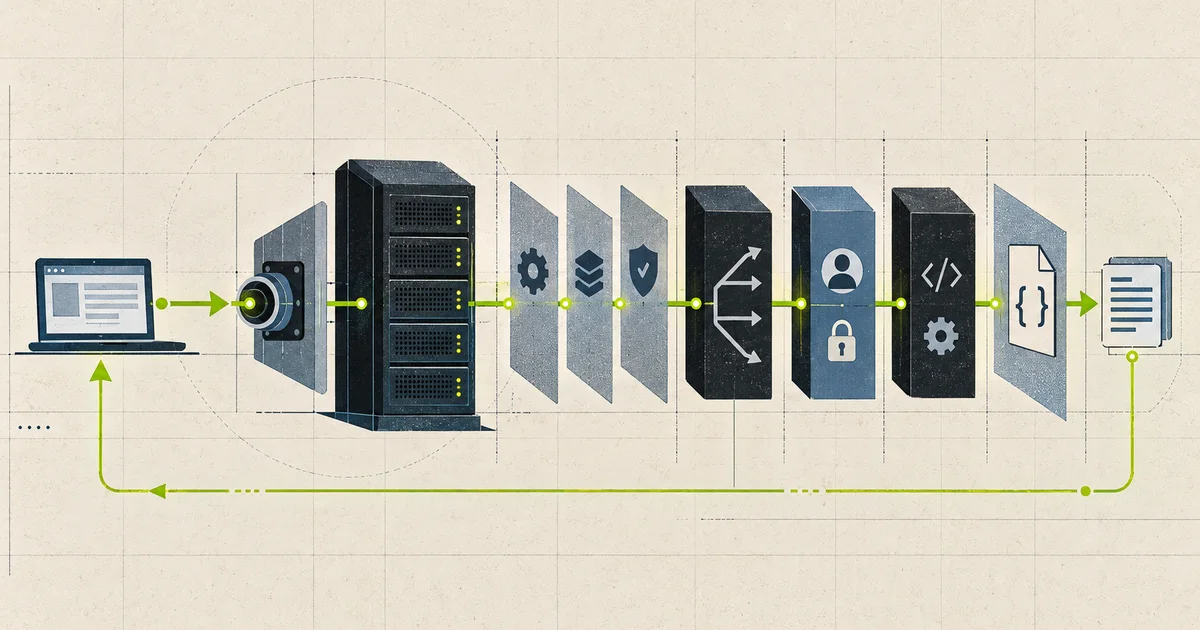
Most ASP.NET Core applications begin with a few familiar lines:
var builder = WebApplication.CreateBuilder(args);

builder.Services.AddControllers();
builder.Services.AddScoped<IOrderService, OrderService>();
builder.Services.AddProblemDetails();

var app = builder.Build();

app.UseExceptionHandler();
app.UseAuthentication();
app.UseAuthorization();

app.MapControllers();

app.Run();
The code is short, but a lot happens around it.
Configuration is loaded. Logging is prepared. Services are registered. A web server starts listening. Middleware is joined into a pipeline. Routes become executable endpoints. For every request, ASP.NET Core creates an HttpContext, opens a dependency injection scope, runs the pipeline, and writes a response.
This article follows that complete path in simple terms. It focuses on the modern hosting style used by current ASP.NET Core applications.
The whole picture first
An ASP.NET Core application has two different periods:
- Startup: prepare everything the application will need.
- Request processing: use that prepared application again and again for incoming HTTP requests.
APPLICATION STARTUP

 Operating system starts the .NET process
                  |
                  v
 WebApplication.CreateBuilder(args)
 host + configuration + logging + services + Kestrel defaults
                  |
                  v
 Register application services
 controllers + database + authentication + your own services
                  |
                  v
 builder.Build()
 service provider + WebApplication
                  |
                  v
 Add middleware and map endpoints
                  |
                  v
 app.Run()
 start the host and listen for traffic


ONE HTTP REQUEST

 Client -> reverse proxy (optional) -> Kestrel
                                      |
                                      v
                                  HttpContext
                                      |
                                      v
 Middleware -> routing -> authorization -> endpoint
                                      |
                                      v
                              HTTP response to client
Startup usually happens once for each application process. Request processing may happen millions of times while that process is alive.
Keeping those periods separate makes the runtime much easier to understand.
Phase 1: creating the builder
The first important call is:
var builder = WebApplication.CreateBuilder(args);The builder is a workspace used to assemble the application. It is not the running application, and Kestrel is not accepting requests yet.
CreateBuilder prepares sensible defaults for several parts of the system.
The host
The host controls the lifetime of the process. It starts registered background services, starts the HTTP server, listens for shutdown signals, and coordinates a graceful stop.
The host is the outer container around the web application.
Configuration
ASP.NET Core combines settings from several providers. With the default builder, common sources include:
appsettings.json;appsettings.{Environment}.json;- user secrets during local development;
- environment variables;
- command-line arguments.
Later providers can override values from earlier providers. For example, an environment variable can replace a value from appsettings.json without changing the deployed file.
appsettings.json
       |
       v
appsettings.Production.json
       |
       v
environment variables
       |
       v
command-line arguments

Later matching value wins
This is why the same application build can run in development, staging, and production with different connection strings or feature settings.
Logging
The default builder also prepares the logging system. Application code can request ILogger<T> through dependency injection without manually constructing a logger.
The providers and log levels still depend on configuration. Preparing logging does not mean every category should log at every level in production.
Dependency injection registrations
builder.Services is an IServiceCollection. At this stage it is mainly a list of instructions:
builder.Services.AddScoped<IOrderService, OrderService>();
builder.Services.AddSingleton<ISystemClock, SystemClock>();
builder.Services.AddTransient<IReceiptFormatter, ReceiptFormatter>();
These calls do not mean all objects are created immediately. They tell the future service provider how to create them when they are needed.
The lifetime is important:
| Lifetime | What it means |
|---|---|
| Transient | A new instance is created each time it is requested. |
| Scoped | One instance is shared inside one HTTP request. |
| Singleton | One instance is shared for the lifetime of the application process. |
A singleton must be safe when many requests use it at the same time. A scoped service, such as a typical EF Core DbContext, belongs to one request and should not be stored inside a singleton.
Kestrel defaults
Kestrel is the default cross-platform web server for ASP.NET Core. The builder prepares it and reads server-related configuration, but the server does not begin listening until the host starts.
Kestrel can face the network directly, or it can sit behind a reverse proxy such as IIS, Nginx, a cloud load balancer, or YARP.
Direct hosting

Client -> Kestrel -> ASP.NET Core application


Behind a reverse proxy

Client -> IIS / Nginx / load balancer -> Kestrel -> application
When a proxy is present, forwarded-header configuration matters. The application may otherwise see the proxy’s address or HTTP scheme instead of the original client’s address and HTTPS scheme.
Phase 2: building the application
After service registration, the next important line is:
var app = builder.Build();Build turns the collected setup into a WebApplication and creates the application’s service provider. Service registration is now complete. In normal application code, this is the boundary after which builder.Services can no longer be changed.
It helps to think of the difference this way:
Before Build
"If someone asks for IOrderService, use OrderService."

After Build
The container can resolve IOrderService using that rule.
Building the application still does not mean that it is serving traffic. The request pipeline and endpoints must be described first.
Phase 3: creating the request pipeline
Middleware is code placed in the path of every matching request. Common middleware handles errors, HTTPS redirection, static files, authentication, authorization, rate limits, request logging, and other cross-cutting work.
app.UseExceptionHandler();
app.UseAuthentication();
app.UseAuthorization();

app.MapControllers();
The order is part of the application’s behaviour.
Each middleware can:
- do work before the next component;
- call the next component;
- do more work after the next component returns;
- stop early and produce a response itself.
The core shape is a function that accepts an HttpContext and returns a Task:
public delegate Task RequestDelegate(HttpContext context);The pipeline is a group of these delegates wrapped around one another.
Request
  |
  v
Exception middleware: before
  |
  v
Authentication: before
  |
  v
Authorization: before
  |
  v
Selected endpoint
  |
  v
Authorization: after
  |
  v
Authentication: after
  |
  v
Exception middleware: after
  |
  v
Response
This is similar to nested boxes. The request travels inward. After the endpoint finishes, control travels outward in reverse order.
A small timing middleware
The following middleware measures the complete pipeline after it:
app.Use(async (context, next) =>
{
    var startedAt = Stopwatch.GetTimestamp();

    await next(context);

    var elapsed = Stopwatch.GetElapsedTime(startedAt);

    context.RequestServices
        .GetRequiredService<ILoggerFactory>()
        .CreateLogger("RequestTiming")
        .LogInformation(
            "{Method} {Path} completed in {ElapsedMs} ms",
            context.Request.Method,
            context.Request.Path,
            elapsed.TotalMilliseconds);
});
The code before await next(context) runs on the way in. The timing and log statement run on the way out.
Adding a response header after next is less safe because the endpoint may have already started sending the response. If a middleware must add a late header, register it with context.Response.OnStarting(...) before calling the next component.
Short-circuiting
A middleware does not have to call next.
app.Use(async (context, next) =>
{
    if (!context.Request.Headers.ContainsKey("X-Client-Id"))
    {
        context.Response.StatusCode = StatusCodes.Status400BadRequest;
        await context.Response.WriteAsync("Missing client ID");
        return;
    }

    await next(context);
});
For the rejected request, routing and the endpoint never run. This is called short-circuiting.
Static files can short-circuit in the same way. If a requested public file is found, there is no reason to run controller logic.
Phase 4: starting the application
The final startup call is:
app.Run();At this point, the host starts. Kestrel binds to its configured addresses and begins accepting connections. Hosted services start, lifetime events are raised, and the call keeps the process alive until shutdown.
Before requests are handled, the middleware registrations are turned into one executable request delegate. Kestrel invokes that application delegate for each HTTP request.
The important boundary is simple:
CreateBuilder + service registration + Build + pipeline mapping
                           |
                           v
                         Run
                           |
                           v
                   Application is live
Startup code should finish before the application reports that it is ready. Long database migrations, remote calls, or heavy cache loading during startup can delay readiness or cause restart loops. If startup work is required, it should be explicit, observable, and safe to retry.
What happens when a request arrives
Now consider this request:
GET /api/orders/42 HTTP/1.1
Host: api.example.com
Authorization: Bearer <token>
Assume the application contains this controller endpoint:
[ApiController]
[Route("api/orders")]
public sealed class OrdersController(IOrderService orders) : ControllerBase
{
    [HttpGet("{id:int}")]
    public async Task<ActionResult<OrderDto>> Get(
        int id,
        CancellationToken cancellationToken)
    {
        var order = await orders.FindAsync(id, cancellationToken);
        return order is null ? NotFound() : Ok(order);
    }
}
The request moves through the following stages.
1. Kestrel reads the HTTP request
Kestrel accepts the connection and reads the HTTP protocol data. It identifies the method, path, headers, and body. ASP.NET Core exposes that request through an HttpContext.
HttpContext is the object shared across the request pipeline. It gives middleware and endpoints access to:
Request, including method, path, headers, query, and body;Response, including status, headers, and body;User, containing the current security principal;RequestServices, the request’s dependency injection scope;- the selected endpoint and route values;
- cancellation through
RequestAborted.
One HttpContext belongs to one request. It is not designed for unrelated background work or unsafe concurrent access after the request has finished.
2. ASP.NET Core creates a request scope
ASP.NET Core creates a dependency injection scope for the request. Scoped services resolved during this request come from that scope.
Request A scope
  OrderService A
  DbContext A

Request B scope
  OrderService B
  DbContext B

Singletons are shared by both requests
When the request ends, disposable scoped and transient services owned by the container are cleaned up. This is one reason request work should not escape into an untracked background task. The services it captured may be disposed when that task tries to use them.
3. The request enters middleware
The first configured middleware receives the HttpContext. It can inspect or change it, then choose whether to call the next component.
A typical API order may look like this:
app.UseExceptionHandler();
app.UseForwardedHeaders();
app.UseHttpsRedirection();
app.UseRouting();
app.UseCors();
app.UseAuthentication();
app.UseAuthorization();
app.UseRateLimiter();

app.MapControllers();
This is an example, not a universal order for every application. Some middleware has strict placement rules. For example, authentication must happen before authorization, and authorization needs the endpoint information chosen by routing.
An error handler is normally placed early so it can catch failures from later middleware and endpoints.
4. Routing selects an endpoint
Endpoint routing compares the incoming request with registered endpoints.
For the example request, it considers information such as:
- path:
/api/orders/42; - HTTP method:
GET; - route constraint:
{id:int}; - endpoint metadata, including authorization policies.
The matching endpoint and route values are attached to HttpContext. In this case, the route value is id = 42.
An endpoint is more than a URL. It contains:
- an executable request delegate;
- route information when routing is used;
- metadata for authorization, CORS, filters, rate limits, OpenAPI, and other features.
If nothing matches and no earlier middleware produces a response, the request normally ends as 404 Not Found.
5. Authentication and authorization run
Authentication answers:
Who is making this request?
It validates the available credentials and builds HttpContext.User.
Authorization answers:
Is this user allowed to execute the selected endpoint?
Authorization reads the endpoint’s policies and the current user. A rejected request can end here without executing the controller action.
The difference matters. A valid identity does not automatically have permission to every endpoint.
6. The selected endpoint executes
Up to this point, Minimal APIs and controllers share the same server, HttpContext, middleware, routing, and authorization system. Their paths become different inside the selected endpoint.
Minimal API endpoint
For a Minimal API handler, ASP.NET Core creates a request delegate that performs the surrounding work:
app.MapGet("/api/orders/{id:int}", async (
    int id,
    IOrderService orders,
    CancellationToken cancellationToken) =>
{
    var order = await orders.FindAsync(id, cancellationToken);
    return order is null
        ? Results.NotFound()
        : Results.Ok(order);
});
Conceptually, the generated delegate:
- reads
idfrom route values; - resolves
IOrderServicefrom request services; - supplies the request cancellation token;
- calls the handler;
- turns the returned result into an HTTP response.
The real generated code is optimized and handles many parameter and result types. The simple list is the useful mental model.
Controller endpoint
For a controller action, MVC performs more structured work:
- activate the controller and inject its dependencies;
- run authorization and resource filters where configured;
- bind request data to action parameters;
- validate the bound model;
- run action filters;
- call the action method;
- process the returned result;
- run result and exception filters where applicable;
- dispose the controller when required.
[ApiController] adds useful API behaviour, including automatic validation responses for invalid models under the default configuration.
Controllers provide conventions and extension points that are useful in larger MVC-style applications. Minimal APIs provide a smaller programming model. Both end as executable endpoints in the same ASP.NET Core pipeline. Choose based on the application’s design and team needs, then measure performance for the real workload instead of deciding from labels alone.
7. The endpoint creates the response
The endpoint does not return an HTTP response object to Kestrel as a normal C# return value. The request delegate returns Task, which represents completion. The actual response is written through HttpContext.Response.
For Ok(order), result execution normally:
- chooses the status code;
- selects an output formatter;
- sets response headers such as the content type;
- serializes the object, commonly as JSON;
- writes the bytes to the response body.
OrderDto
   |
   v
JSON serializer
   |
   v
HttpResponse.Body
   |
   v
Kestrel writes HTTP response bytes
Once response headers have been sent, they cannot be changed safely. Middleware can check context.Response.HasStarted when handling late failures, but the better approach is to order response-changing work correctly.
8. Control returns through middleware
After the endpoint completes, every middleware that awaited next can continue its after-work in reverse order.
This is where request timing, response logging, cleanup, and some response transformations may happen.
Finally, Kestrel completes the HTTP response. ASP.NET Core disposes the request scope, and the HttpContext is no longer valid for application work.
Where async and threads fit
ASP.NET Core is designed around asynchronous I/O. This does not mean that every request receives a dedicated thread from beginning to end.
Consider a database call:
var order = await db.Orders
    .SingleOrDefaultAsync(x => x.Id == id, cancellationToken);
While the application waits for the database, the current thread does not need to sit idle. It can return to the .NET thread pool and do other work. When the I/O operation completes, the remaining request code is scheduled to continue. It may continue on a different thread.
Thread runs request code
         |
         v
Start database I/O
         |
         v
await releases the thread for other work
         |
         v
database operation completes
         |
         v
request continuation is scheduled
This helps one process handle many concurrent requests with a limited pool of threads.
The benefit disappears when request code blocks:
// Avoid in request code
var order = GetOrderAsync(id).Result;

// Also avoid
GetOrderAsync(id).Wait();
Blocking keeps a thread occupied while it waits. Under load, many blocked requests can exhaust available thread-pool workers and increase latency for the whole application.
Wrapping normal ASP.NET Core work in Task.Run is not the solution. Request code already runs on thread-pool threads. Use asynchronous APIs for network, database, and file I/O, and move long independent jobs to a proper background queue when they should outlive the request.
One request from beginning to end
The complete example can now be described as one sequence:
1. Client sends GET /api/orders/42
2. A proxy forwards it, if the deployment uses one
3. Kestrel parses the HTTP request
4. ASP.NET Core creates HttpContext and a request DI scope
5. Exception handling middleware begins
6. Routing selects OrdersController.Get and id = 42
7. Authentication creates HttpContext.User
8. Authorization checks the selected endpoint policy
9. MVC creates OrdersController and resolves IOrderService
10. Model binding supplies id and CancellationToken
11. The action awaits the database call
12. MVC converts Ok(order) into a JSON response
13. Control returns through middleware in reverse order
14. Kestrel sends the response
15. The request scope is disposed
That is the ASP.NET Core runtime from the application’s point of view.
The server accepts bytes. The framework turns them into an HttpContext. The middleware pipeline applies shared behaviour. Routing selects one endpoint. The endpoint performs application work. The result becomes response bytes.
Common mistakes this model explains
Registering middleware in the wrong order
If authorization runs before routing, it may not have the selected endpoint metadata it needs. If an exception handler is placed too late, earlier failures escape it. Order is behaviour, not formatting.
Confusing service registration with middleware
These lines solve different problems:
builder.Services.AddAuthentication();
app.UseAuthentication();
The first registers services needed by authentication. The second places authentication in the request pipeline. Some modern hosting defaults can add middleware automatically in specific cases, but understanding both roles prevents confusing startup bugs.
Capturing a scoped service in a singleton
A scoped object belongs to one request. A singleton lives for the whole process. Storing the first inside the second can keep request-specific state alive and reuse it across unrelated requests.
Starting background work from a request without ownership
Fire-and-forget tasks can outlive the HttpContext and its scoped services. Use a durable queue or a managed background service, create a fresh scope for background work, and define failure and retry behaviour.
Ignoring request cancellation
If the client disconnects or the request is cancelled, HttpContext.RequestAborted is triggered. Passing the cancellation token to database and network calls can stop work that no longer has a consumer.
Blocking asynchronous work
Calling .Result or .Wait() uses a thread to wait. Under traffic, this can cause thread-pool starvation and long response times.
Trusting forwarded headers from anywhere
Behind a proxy, forwarded headers help recover the original scheme and client address. They should be enabled with known proxy or network settings so arbitrary clients cannot impersonate forwarding infrastructure.
What to observe in production
Understanding the runtime is useful because each stage has different failure signals.
| Stage | Useful evidence |
|---|---|
| Kestrel and network | active connections, request rate, connection errors, TLS and protocol failures |
| Middleware | request duration, exception count, authentication failures, rate-limit rejections |
| Routing | unmatched routes, method mismatches, endpoint name |
| Endpoint | status code, handler duration, validation failures |
| Dependencies | database duration, outbound HTTP duration, pool usage, retries |
| Runtime | thread-pool queue length, allocation rate, garbage collection, CPU, memory |
A slow endpoint is not always slow because of its action method. The delay may be connection queuing, authentication, model binding, a blocked thread pool, a database pool, response serialization, or the network after the response starts.
Tracing the full request path makes that distinction visible.
Closing view
The few lines in Program.cs describe two systems.
The startup system prepares the host, configuration, logging, dependency injection, server, middleware, and endpoints. The request system reuses that prepared structure for every call.
CreateBuilder gathers the defaults and your registrations. Build creates the application and service provider. Middleware and endpoint calls describe the request path. Run starts the host and Kestrel.
After that, each request follows the same basic journey:
HTTP bytes
  -> Kestrel
  -> HttpContext
  -> request scope
  -> middleware
  -> routing and policies
  -> endpoint
  -> result execution
  -> HTTP response bytes
Once this path is clear, many ASP.NET Core behaviours stop feeling automatic or mysterious. Middleware order, dependency lifetimes, async I/O, route metadata, controller filters, and response timing all fit into one model.
The framework does a great deal for us. The important part is knowing when it does that work, which objects live for the whole application, which objects live for one request, and where our own code enters the path.
Technical references
- How the ASP.NET Runtime Works, part 1
- How the ASP.NET Runtime Works, part 2
- WebApplication and WebApplicationBuilder in ASP.NET Core
- ASP.NET Core middleware
- Kestrel web server in ASP.NET Core
- Routing in ASP.NET Core
- Dependency injection in ASP.NET Core
- Configuration in ASP.NET Core
- ASP.NET Core Best Practices
- Overview of ASP.NET Core MVC
Related notes.
How Async and Await Work in C#
A story-led explanation of Tasks, compiler-generated state machines, continuations, threads, I/O completion, exceptions, cancellation, contexts, and practical async design in .NET.
Batching: Turning a Thousand Round Trips Into One
How to remove database round trips without confusing batching, transactions, preparation, concurrency, and bulk-loading behavior in Npgsql and PostgreSQL.
The N+1 in EF Core: Where It Comes From, How to See It, and How to Make It a Test Failure
The N+1 is not a slow query, it is a correct query repeated thousands of times, and because it works in development with ten rows the only reliable defence is a query count assertion in the test suite.